
Similar Products are Loading...

How many times have you wasted your money in the auto repair shop just because you don t know what was wrong in your car?Â
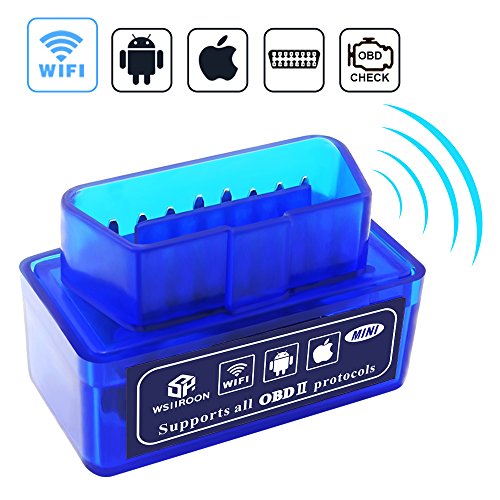
Wsiiroon OBD2 scan tool can connect to any iOS, android and windows device via Wi-Fi. You just need to plug it onto the diagnostic link connector, connect it with your device and follow the code reading procedure to diagnose any existing problem. It covers more than 3000 generic code definitions and can be used for most types of cars and small trucks, compatible with all 1996 to 2016 cars and small trucks in the united states, help you save money and accurately diagnose any car problem.
Easy to UseÂ
1. Install the App on your phone.Â
2. Plug in the OBD2 adapter.Â
3. Turn on the car and start the engine.Â
4. Enable WiFi on your phone and connect to ’WiFi_OBD2’.Â
5. Run the OBD2 App, make some connection settings and wait until it connects your car successfully.Â
Search for more OBD2 Apps in App Store or Google Play:Â
iOS: OBD Fusion, DashCommand, FORScan, OBD Car Doctor, OBD Auto Doctor, etc. "DashCommand" App for iOS system is $9.9.Â
Android: Torque Pro, FORScan, DashCommand, etc.Â
Note:Â
Your vehicle may not support all above parameters. How many parameters you can get is depended on the vehicle manufacturer’s implementation.Â
If at last it doesn t work properly, please try on another type of vehicle.
Note: Before to order any Amazon or eBay product please make sure product technically fulfill your need. We are just importing Amazon and eBay products from USA and have no technical support available. Also please read the product reviews on the Amazon before to order. Also to get any kind of warranty or quality check you can contact directly with the original manufacturer or visit their website. We will not provide any kind of support in that.
